
Watch Alarm: Monthly Health Check
Keep your LiveLife Watch working perfectly with these simple monthly checks
Performing Regular Tests of Your LiveLife Watch
Like other electronic devices, it is important to conduct regular checks of your watch alarm to make sure it is working correctly. We suggest a monthly health check which includes the following:
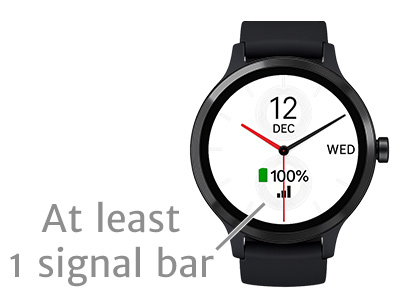
Check the Signal Bar
Check that there is at least one signal bar on your watch face. This means you have a connection to the mobile network. If you can't see a signal bar section, go to watch settings and select a different watch face that does show a signal bar.

Test Two-Way Voice
Ask a relative or friend to call your watch and you can answer in hands-free, two-way voice.
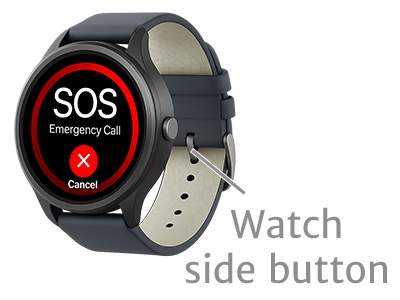
Test the SOS Button
Click or hold the watch side button until you hear the voice prompt. Click the watch side button again to cancel the emergency call and text sequence.
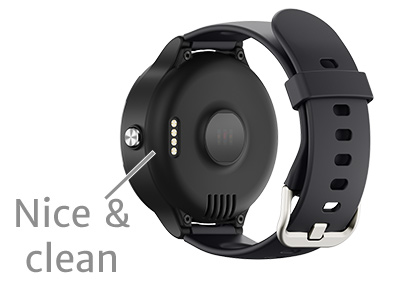
Check for Damage
Check your watch for any obvious signs of damage. Make sure the four brass discs on the back of the alarm are bright and shiny.
Print This Guide
Download and print this health check guide to put on your fridge as a handy reminder.
Download A4 Printable PDFYour LiveLife watch comes with lifetime support. If you have any concerns, give us a call.
Option 3 - Customer Support
Support Videos
Watch our video that demonstrates how to do a family test run of your watch alarm.
Watch Video Guides